
Generate and Refine Courses with Course Studio
Build a grounded draft from a concept and approved sources, use El Lienzo, and review generated curriculum before publishing.
In this guide4 sections and article resources
Article resources
Open the community Classroom and choose Generate a course with AI. Course Studio creates an unpublished draft; it never replaces the owner review or publishes by itself.
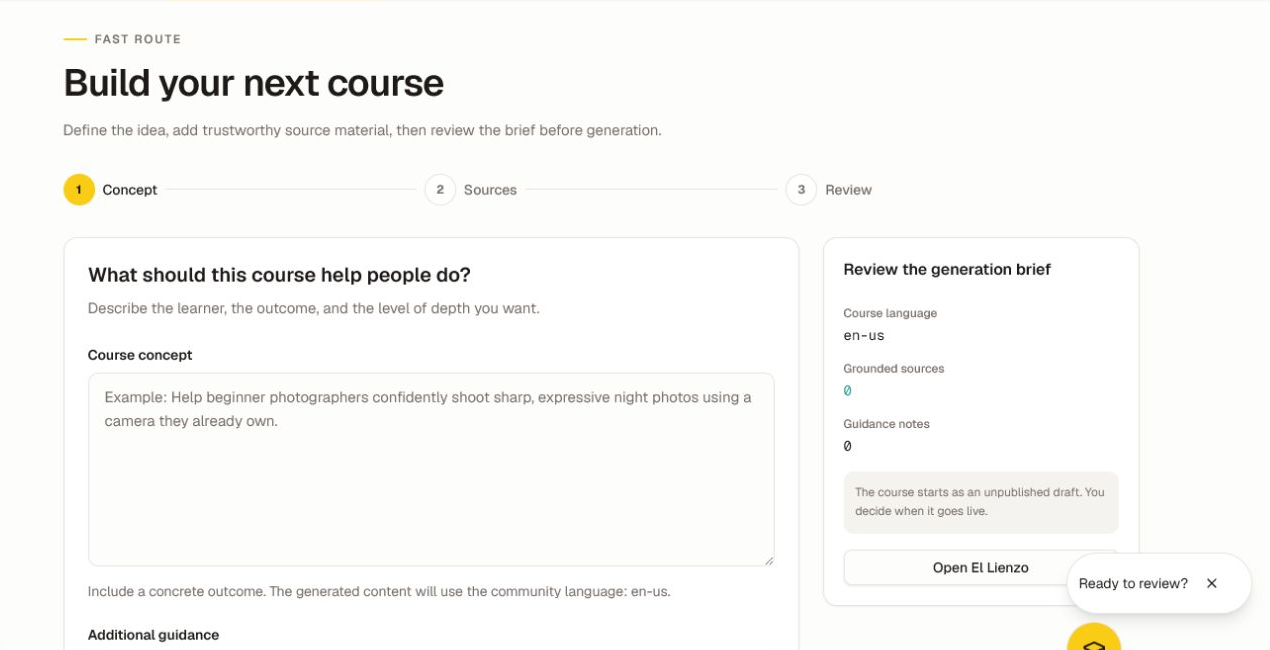
Build the generation brief
- In Concept, describe the learner, the concrete outcome, prior knowledge, depth, and any constraints.
- Add only instructions that a reviewer can verify, one note per line.
- Continue to Sources and add trustworthy grounding material.
- In Review, confirm the course language, source count, guidance, destination, and credit reservation.
- Start generation only when the brief is complete.
Course Studio can accept supported PDF, DOCX, TXT, or Markdown documents up to 50 MB and supported audio/video up to 25 MB, plus approved URLs, YouTube links, and pasted text. A source URL must be accessible to the service and suitable for reuse.
Generation uses a flat credit reservation shown before the run. Cancelling through the supported control returns that reservation according to the displayed policy. Do not refresh or start a duplicate run merely because one step is taking time; the progress stream is designed to recover.
Use El Lienzo for spatial planning
Open El Lienzo when the course structure benefits from a canvas.
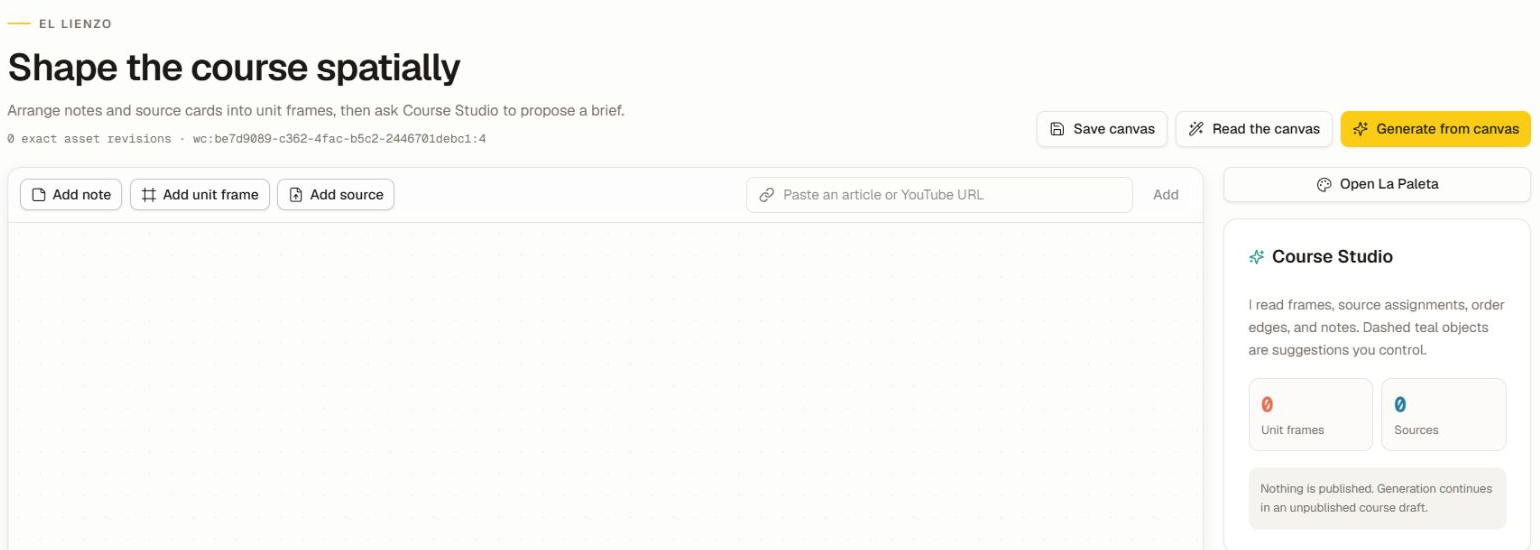
- Add notes and unit frames.
- Add source cards from approved files, URLs, or pasted text.
- Connect a source to a unit frame to assign it.
- Connect unit frames to set the proposed course order.
- Use La Paleta for available captures and source material.
- Choose Save canvas, then Read the canvas to inspect the interpreted structure.
- Choose Generate from canvas only after the frame/source relationships are correct.
Dashed suggestions remain under your control. Saving, reading, or generating from El Lienzo does not publish a course.
Review the generated draft
Open the generation run and review the outline, lessons, source use, assessments, warnings, and diffs. Regenerate only the part that failed review. For every quiz item, verify the objective, prompt, choices, correct answer, feedback, and source support.
When revision controls are available, compare the working copy with the live revision, preview as a student, and promote only the approved revision. Check how a promotion or rollback affects existing enrollments and progress.
Verify and troubleshoot
Preview the complete draft with a member account before publishing. If Course Studio is unavailable, confirm owner/admin access, plan/feature availability, community policy, and credits. A 404 can represent a disabled or unavailable route; do not construct a run URL without an actual run identifier. If a source fails, confirm its type, size, access, and rights before trying a different source.
Was this helpful?
Your response helps us improve this guide.