
Add an Intro Video and Polish the About Page
Upload or link a welcome video, update community presentation, and preview the member-facing About page.
In this guide2 sections and article resources
Article resources
Open Creator console → Settings → Community → General. The About page combines the community icon, cover, name, description, language, theme, privacy, owner profile, access offer, and optional introductory video.
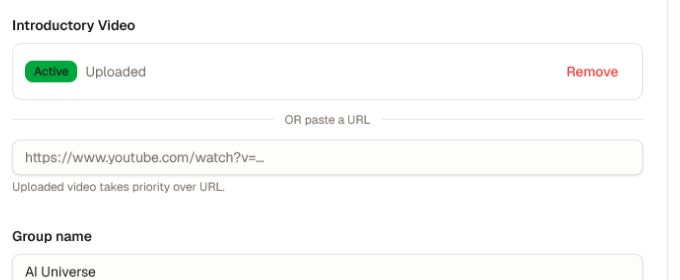
Add or replace the video
- Confirm the icon and cover image before adding the video so the preview has a complete visual identity.
- Under Introductory Video, upload the approved source file or paste a supported video URL.
- Wait for an uploaded video to show Active. During processing, the About page can show a processing state.
- Remember that an uploaded video takes priority over a pasted URL. Choose Remove before relying on the URL alternative.
- Save the community changes.
Review the complete About journey
Open About in a member and, when the community is public, signed-out view. Verify:
- thumbnail, playback, sound, captions, transcript, and fallback URL;
- headline, description, owner identity, and support path;
- pricing, request/purchase button, and what access includes;
- responsive layout, focus order, and useful alternative text.
Use a concise welcome that explains who the community serves, the outcome, and the next step. If processing fails, keep the approved source file, confirm its format and size, and retry once before replacing it. Do not include member data, private locations, unlicensed media, secrets, or claims that published courses and access rules do not support.
Was this helpful?
Your response helps us improve this guide.